Submitting and publishing
Rosters go through two gates on the way out: submit locks a clan's lineup, and publish makes the month official — announcements, reminders, and DMs. The separation exists so several leaders can each submit their clans over a day or two, and one person publishes everything at once when the family is ready.
Submitting
Submit from the builder's Close Session menu (Submit My Rosters) or from the dashboard's Submit button. The confirm screen shows exactly what you are locking, clan by clan, before you commit. Submitted clans show on the dashboard status board with who submitted them.
Previewing
Preview posts a review copy of each submitted clan to your configured review channel — display only, clearly marked as locked-but-unpublished. Previews keep themselves in sync: withdraw a clan and its preview disappears; publish, and they clean themselves up.
Publishing
Publishing the month fans out to three audiences:
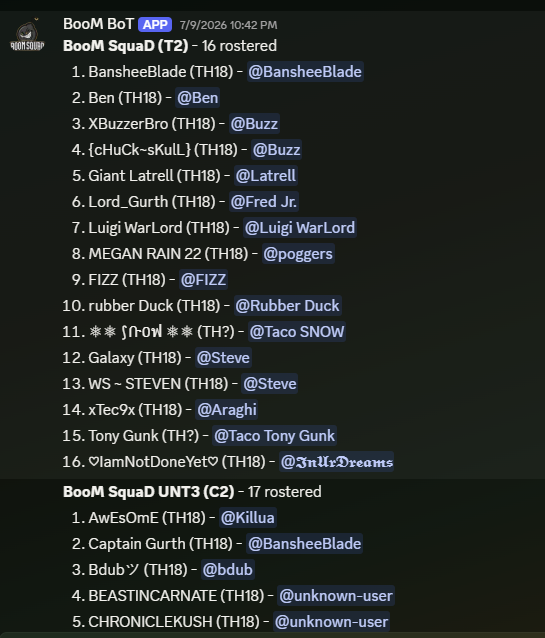
The announcement channel gets one plain-text post per clan: a numbered lineup with real Discord pings so every player gets notified once, optionally led by an @everyone. Amendments later edit these posts in place rather than reposting, so nobody gets re-pinged.
The reminders channel gets one rich post per clan: the numbered roster with a live status marker per player showing whether they have actually moved to their assigned clan in-game, plus an Amend button for leaders.
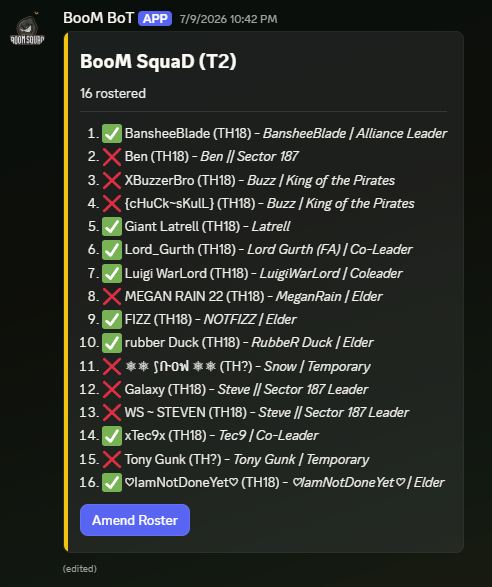
Any per-clan note you attached (like "war opt-in day one") posts here first. These posts update automatically as the bot polls your clans — see After publishing.
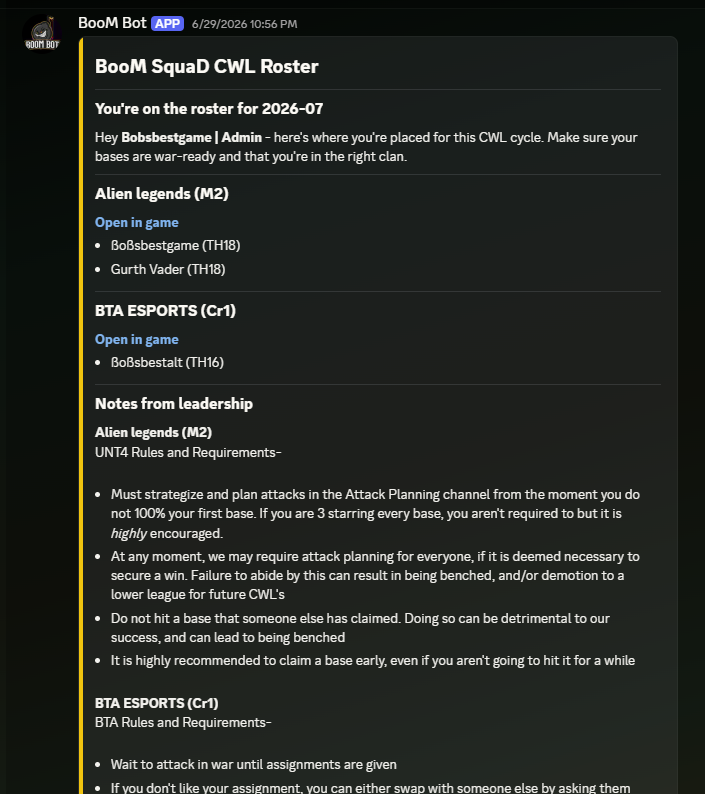
Each rostered player gets a DM listing every one of their accounts and its placement, your leadership notes, your server's branding, and ticket buttons — Request Change and Add Account — that open a conversation with leadership instead of a channel pile-on.
Status markers
On reminder posts, each player carries one of three markers:
| Marker | Meaning |
|---|---|
| Check | In their assigned clan |
| Cross | In a different clan, or not in any clan |
| Question mark | The bot could not look this account up right now |
Markers refresh automatically as clan membership changes; no one needs to touch anything.